The boring part of content creation, automated
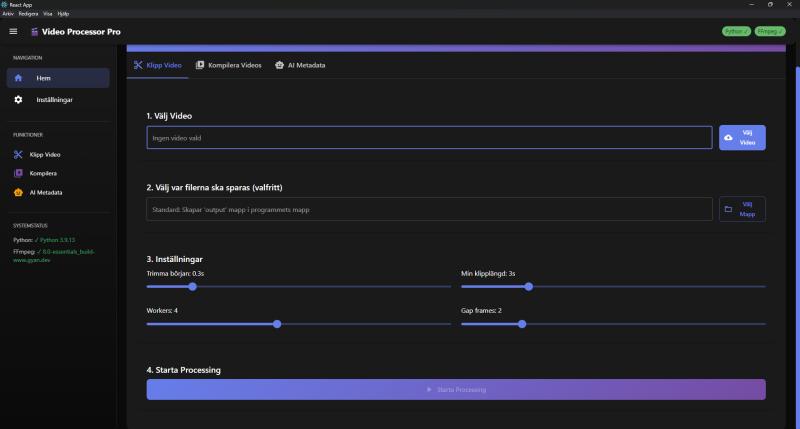
Turning a long recording into short clips means scrubbing through hours of footage, cutting scenes by hand, reframing everything to vertical and writing captions for each post. Video Processor Pro does all of that in one pass. Drop in a full-length video and it detects the scenes, cuts the clips, crops them for each platform and writes the publishing text.
The output is ready to upload: vertical 9:16 clips for TikTok, Reels and Shorts, landscape 16:9 compilations for YouTube in up to 4K, and a text file with titles, hashtags and descriptions for every video.
For anyone who publishes video
Content creators
Repurpose streams, podcasts and long-form videos into daily short-form content without living in an editor.
Social media teams
Keep several channels fed from one source recording, with captions and hashtags generated per clip.
Agencies & brands
Batch-produce platform-ready cutdowns of campaign material at roughly $0.02 per video in AI cost.
Every scene found automatically
The app analyzes every frame with TransNetV2, a deep learning model trained to spot shot changes, and falls back to PySceneDetect when TensorFlow is unavailable. The video is then split at each boundary with FFmpeg stream copy, so cutting is instant and lossless. Too-short fragments and near-duplicate clips are filtered out automatically.
Nine methods vote on every frame
Going from landscape to vertical means deciding what to keep in frame. Instead of trusting one heuristic, each clip is analyzed by nine independent detection methods: blur boundaries, gradient variance, edge detection, symmetry, center weighting and multi-frame sampling among them. A weighted vote picks the crop, logos are filtered out, and results are cached so nothing is recomputed needlessly.
GPT-4o writes the publishing kit
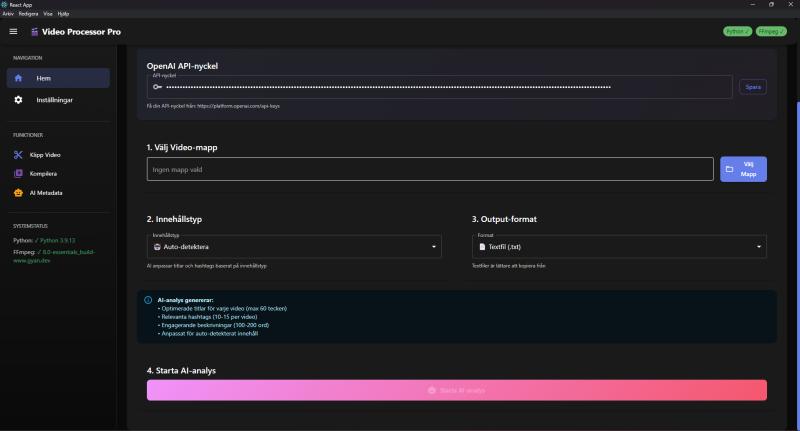
Clips are assembled into finished videos, each clip used only once across all compilations, with a capacity analysis that recommends realistic settings before processing starts. Five frames per video then go to GPT-4o vision, which writes an optimized title, 10 to 15 hashtags and an engaging description, adapted to whether the content is gaming, educational or entertainment.